 Apna
ApnaEvery Module Your School Will Ever Use — In One Cloud Dashboard
Eleven core modules and a free parent app, all included in every plan. Built around how Indian schools actually run — RTE, sibling guardians, thermal printers, multi-session class promotion.
A Module for Every Office Process
Built after long conversations with school principals, fee clerks and class teachers across Rajasthan, UP, MP, Maharashtra and Punjab.
Student Management
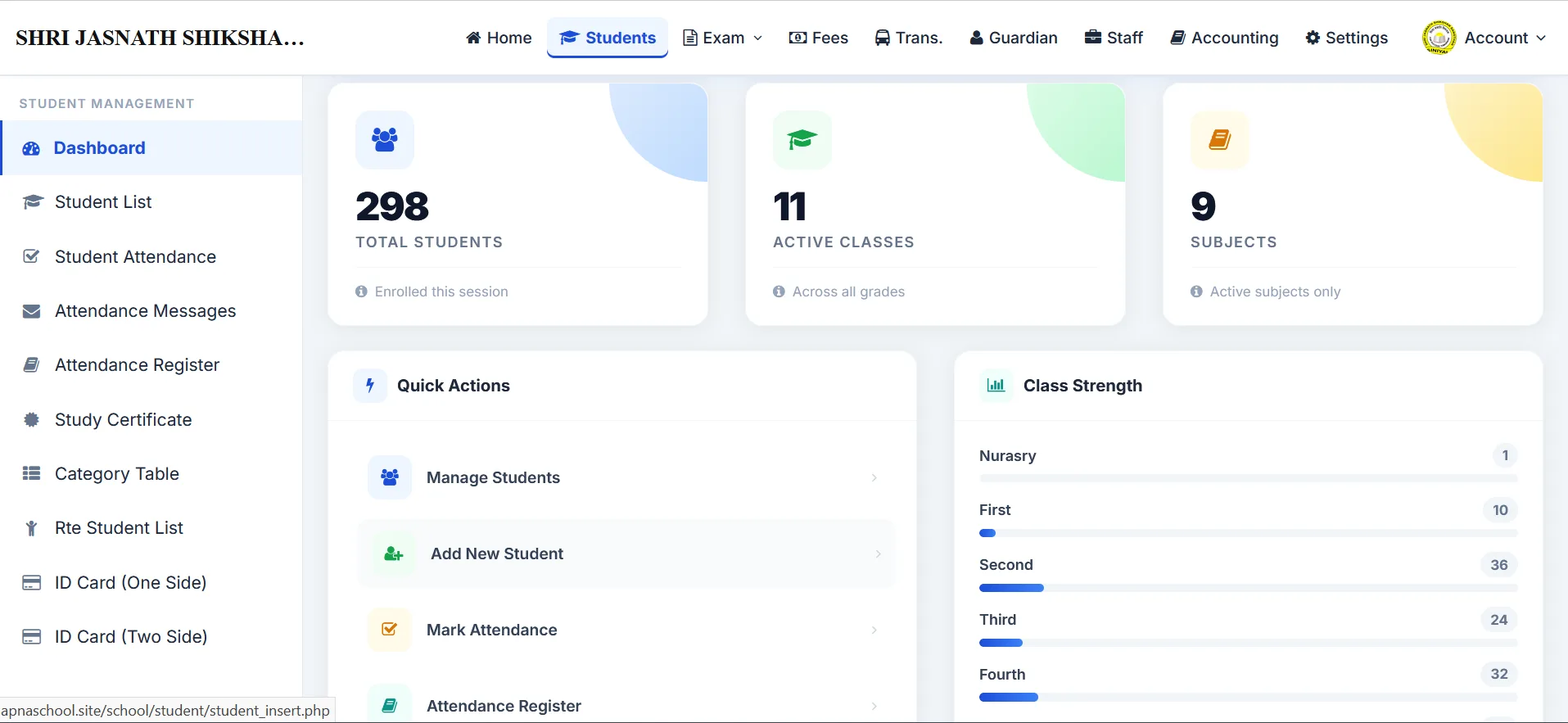
Admission profile, photo, RTE flag, caste, religion, guardian numbers, ID card, study certificate, Excel bulk import.
Go to section →Student Attendance
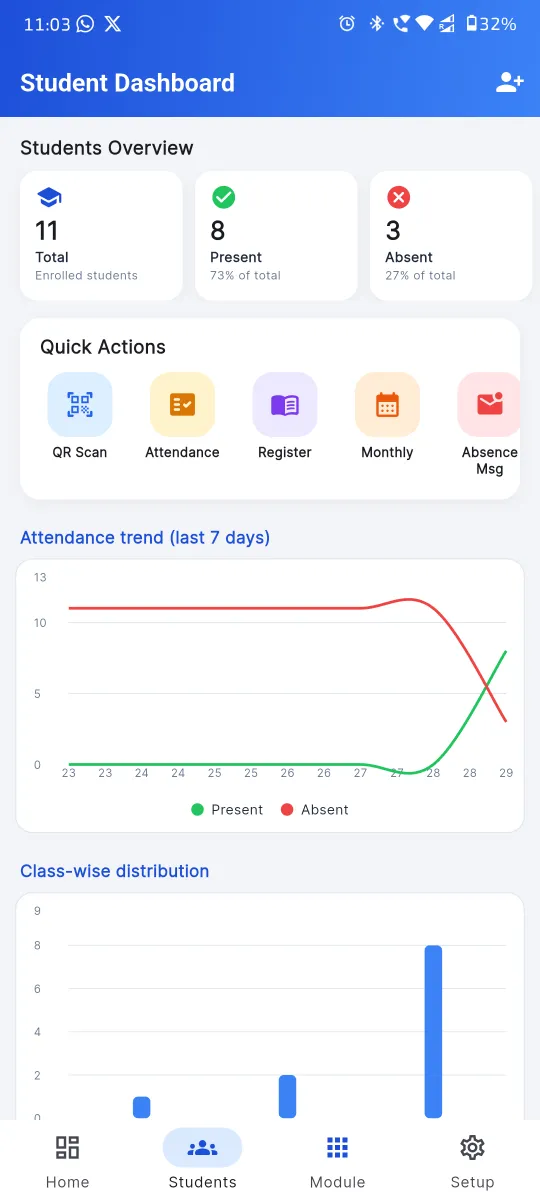
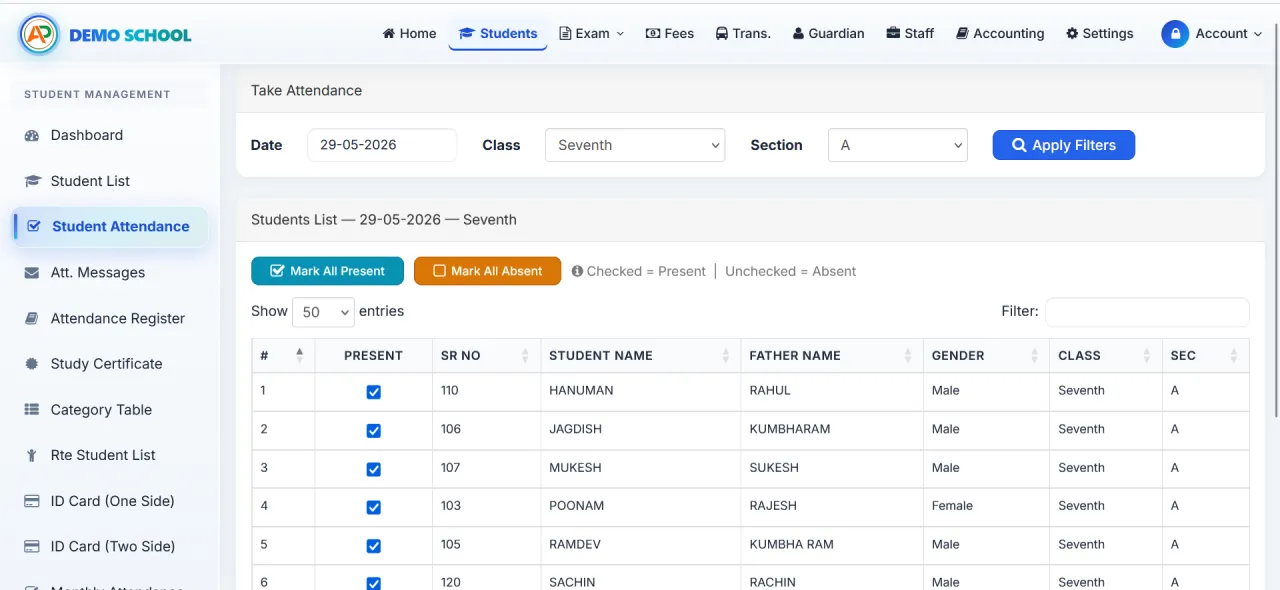
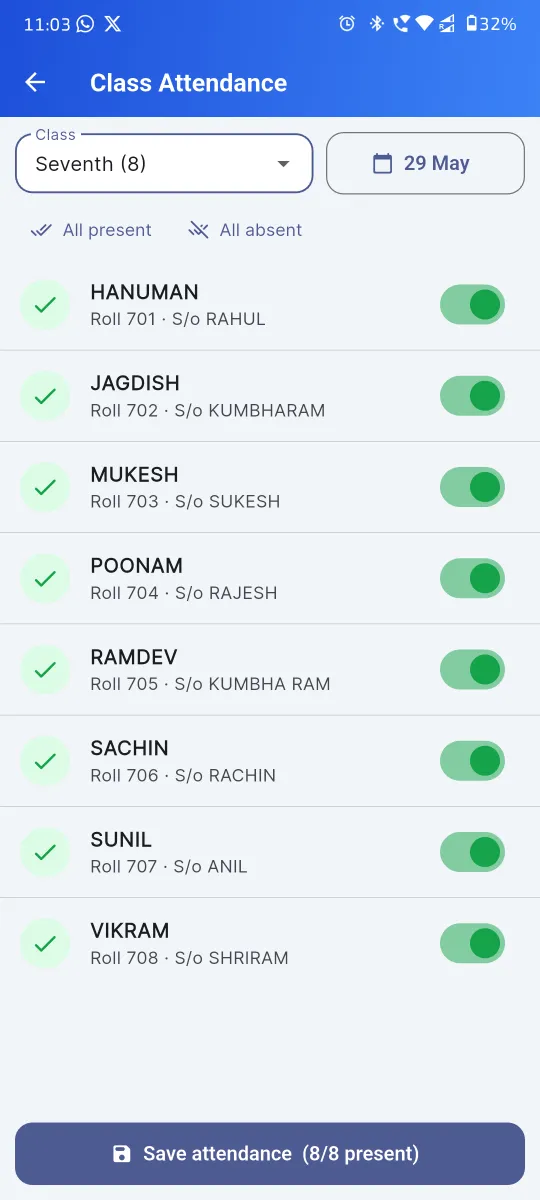
Daily class-wise marking, monthly register, holiday-aware, auto absent SMS to guardians, QR kiosk option.
Go to section →Three-Tier Exam System
Exam, Class Test, Unit Test — three independent modules, configurable grade scale, two marksheet formats, admit cards.
Go to section →Fee Collection & Receipts
Multi-head structure, late fee per day, Cash/Cheque/DD/UPI online, 58/80 mm thermal receipts, A4 print.
Go to section →Transportation
Routes, stations, per-station fee, due date, late fee, student assignment, route-wise revenue.
Go to section →Staff & Payslip
Designation, qualification, salary structure, daily attendance, monthly payslip, HRA, PF, auto voucher post.
Go to section →Accounting & Cash Book
Cash, Bank, party vendors, voucher entries, per-account & per-party statements, automatic posting from fees and payroll.
Go to section →Guardian Module
Separate guardian directory, sibling mapping, unified fee statements, one combined absence alert per parent.
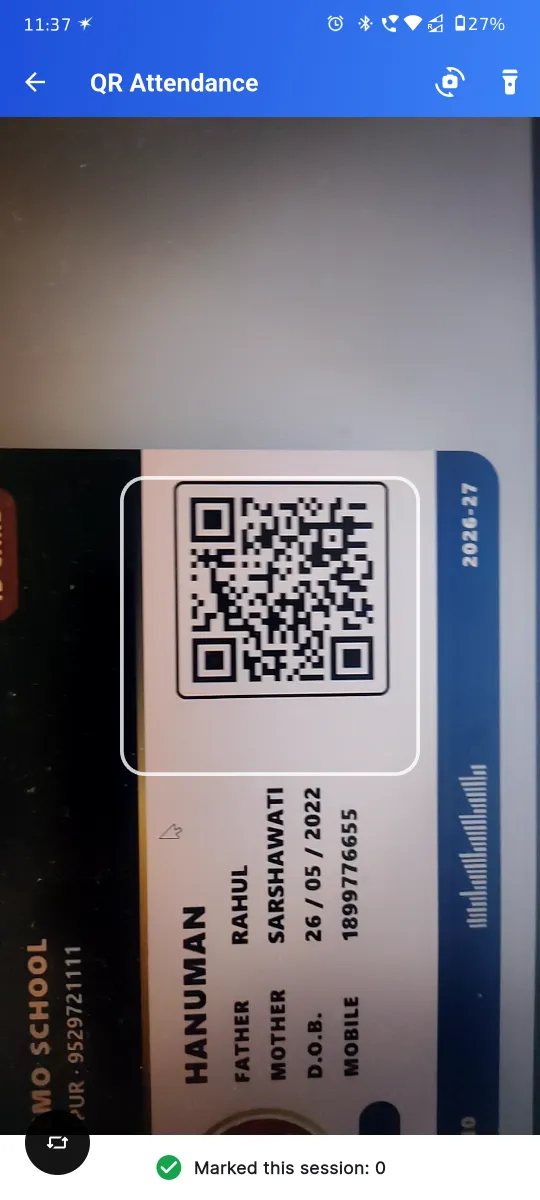
Go to section →QR Attendance Kiosk
QR ID cards, gate-side tablet kiosk, Attendance-Only role for the security guard.
Go to section →UPI Fees Collection
UPI alongside Cash, Cheque, DD. UTR captured per receipt. Posts to Bank in the cash book automatically.
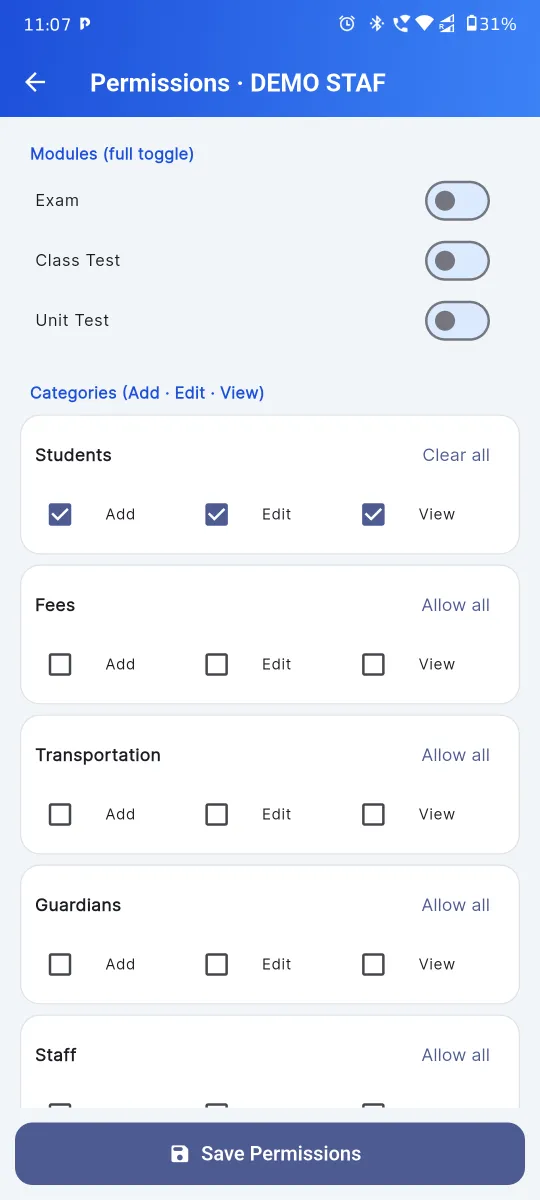
Go to section →Role-Based Permissions
Per-employee, per-module, per-action flags. Fee clerk sees fees only. Class teacher sees attendance only.
Go to section →Free Parent App
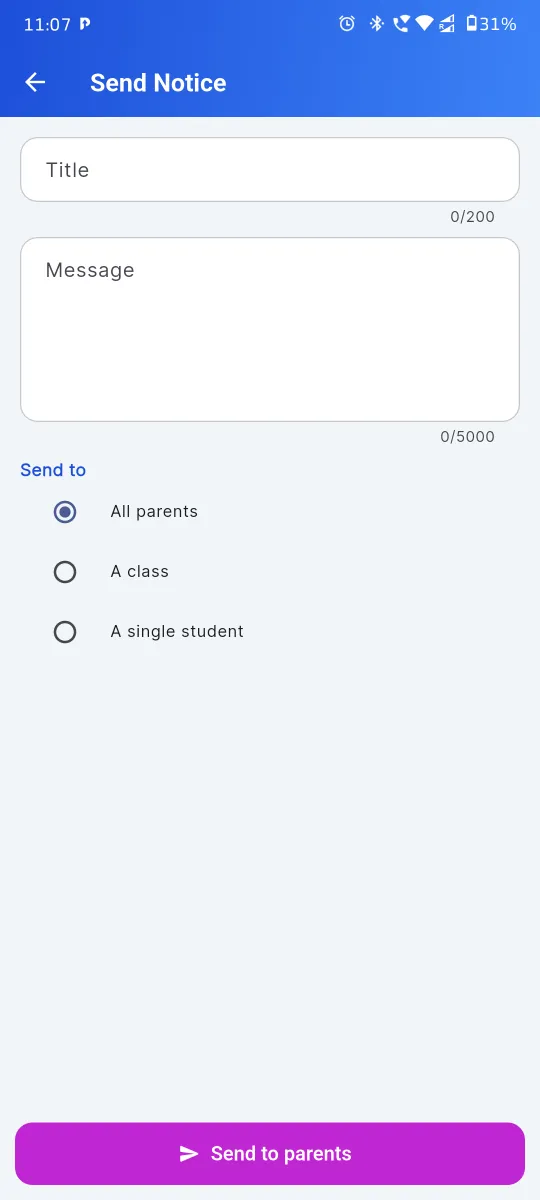
Live attendance, fee dues, exam results, school notices and PTM invites — pushed straight to every parent's phone.
Open parent app →Every Student Record, Every Detail That an Indian School Asks For
The admission form already does what most Indian schools need on paper — admission number, photo, date of birth, gender, caste category, religion, mother tongue, RTE flag, address, guardian contacts and previous-school details. Bulk-import from Excel when you onboard, then promote everyone to next class in one click at session-end. ID cards and study certificates print straight from the same record.
- ✓ Full admission profile with RTE flag, caste & religion
- ✓ Bulk Excel import in one click
- ✓ Sibling-aware family record
- ✓ One-click class promotion at session-end
- ✓ ID card & study certificate generation
- ✓ UDISE+ ready field set
Daily Class Register on Phone, QR Kiosk at the Gate
Mark Present or Absent class-by-class from a phone, tablet or laptop. The save button does three things at once: writes to the session-wide register, fires an SMS / WhatsApp to absent students' guardians, and updates the monthly summary. Sundays and configured holidays are excluded automatically. Schools with a guard at the gate can run the optional QR kiosk — students scan their ID card and walk in.
- ✓ Class-wise daily marking on web and Android app
- ✓ Monthly register with per-student summary
- ✓ Sunday / holiday auto-exclusion
- ✓ Auto absent SMS & WhatsApp to guardian numbers
- ✓ QR-scan kiosk with Attendance-Only login role
- ✓ Monthly attendance export PDF for RTE inspection
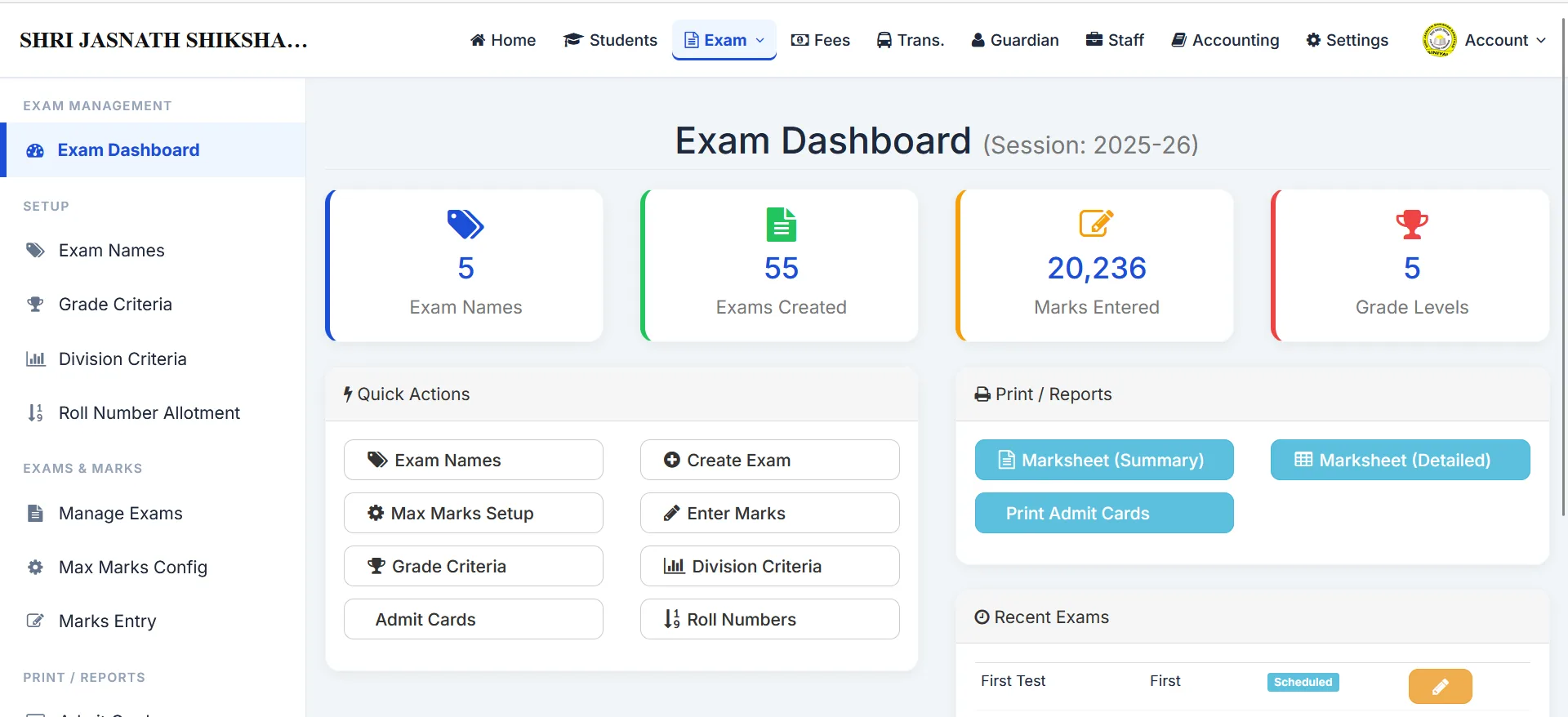
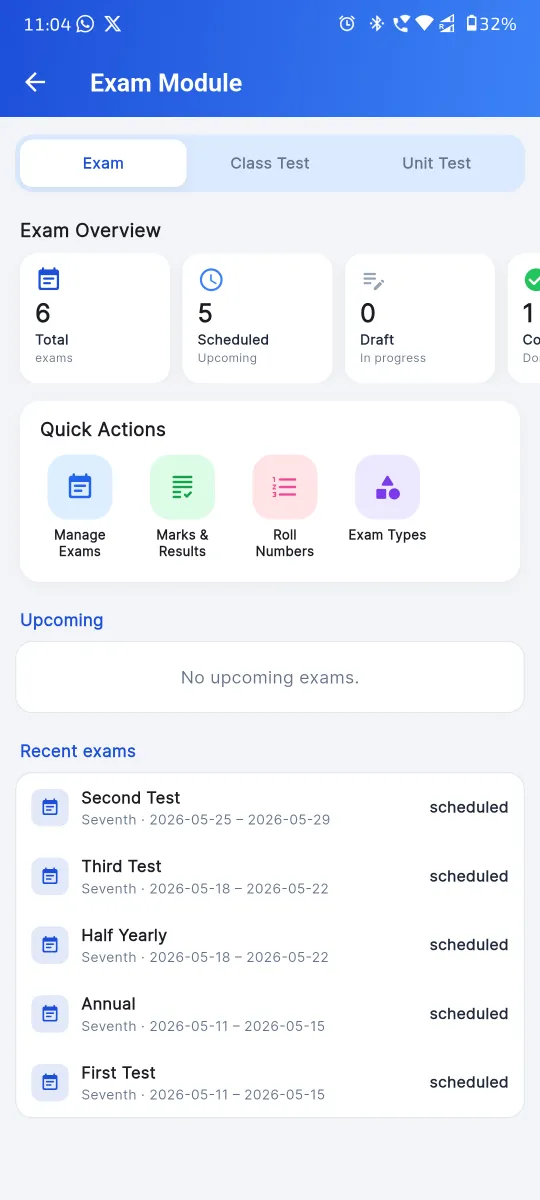
Exam, Class Test, Unit Test — Three Modules, Not One Bolt-On
Indian schools don't run one exam — they run three. Half-yearly and annual exams alongside monthly class tests alongside lesson-level unit tests. Each one has its own grade scale, its own division (pass/fail) criteria, its own printable marksheet, and its own admit card. The moment a teacher saves marks, the result lands in the parent app.
- ✓ Independent Exam, Class Test & Unit Test modules
- ✓ Configurable exam names, max marks & subjects
- ✓ Grade and division (pass/fail) criteria per exam
- ✓ Two printable marksheet formats
- ✓ Admit card generation per exam
- ✓ Roll number mapping per exam
- ✓ Live result push to parent app
Multi-Head Fee Structure, Thermal Receipts & UPI — All in One Place
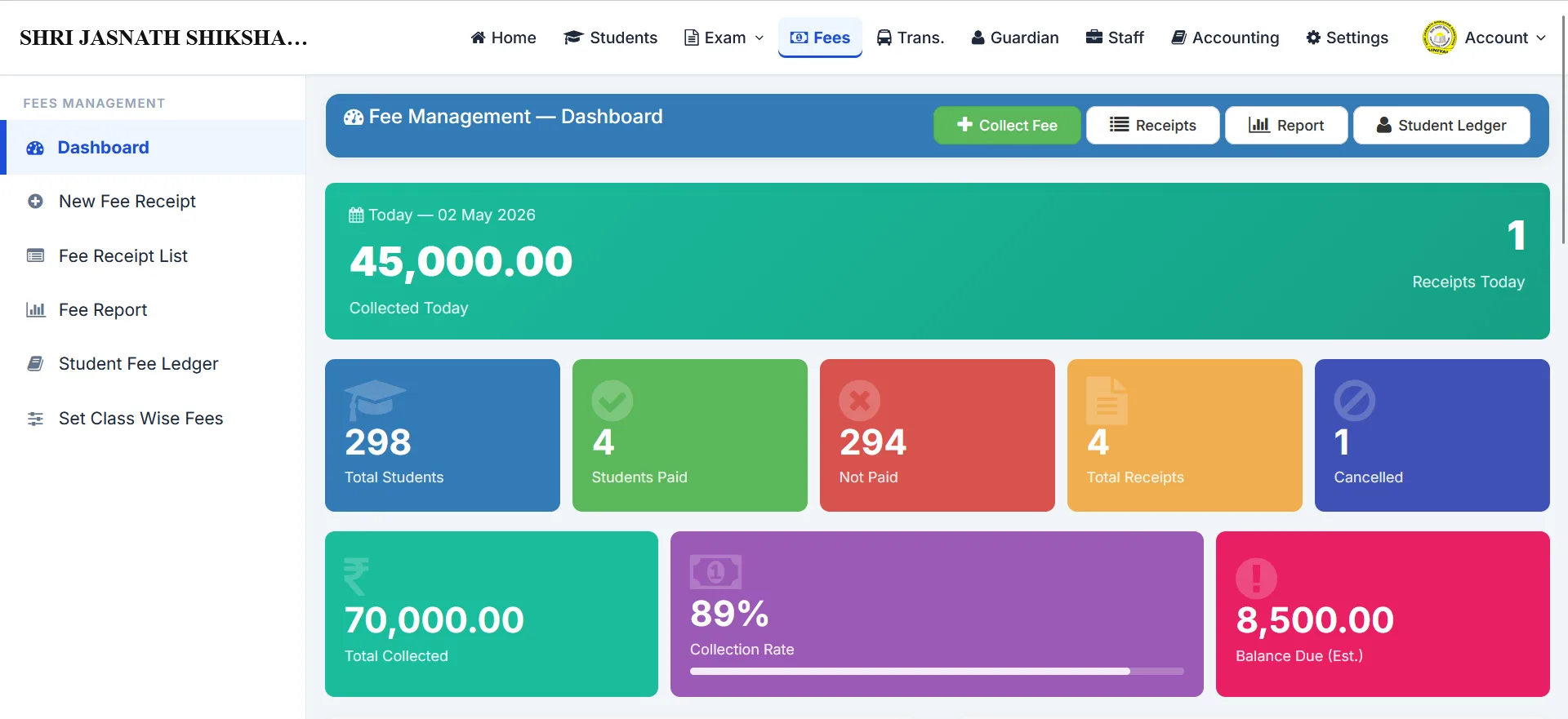
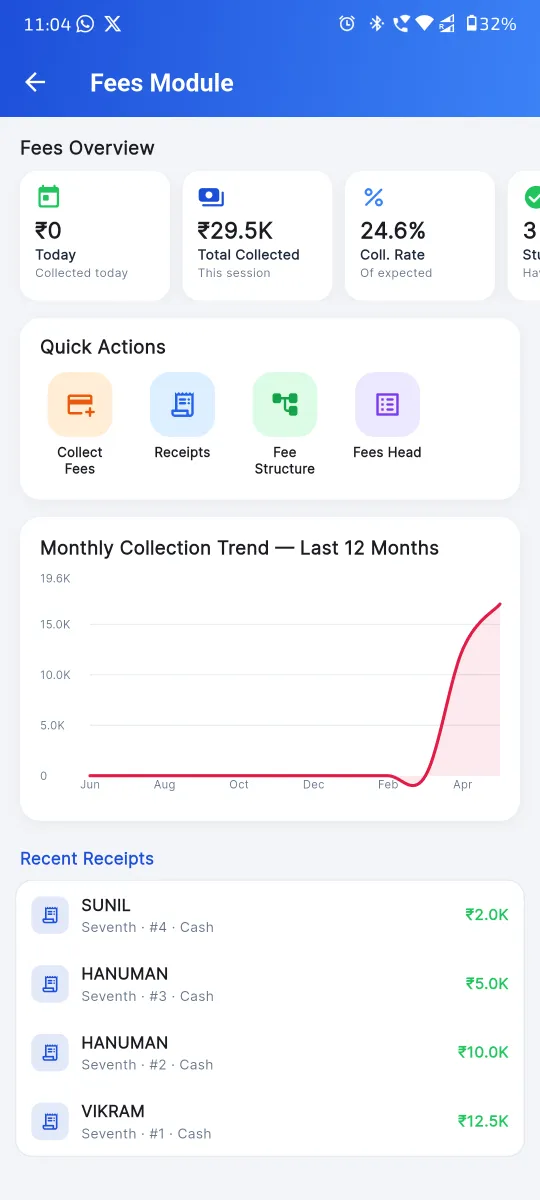
Define your fee structure per class per session: Tuition, Transport, Admission, Annual, Books — as many heads as you need, each with a due date and per-day late fee. Collect by Cash, Cheque, DD or UPI; the receipt page captures the UTR for online payments and prints on A4 or the school's existing 58 mm / 80 mm thermal printer. Cancel a receipt with a reason if needed — the system writes a corresponding reversal voucher.
- ✓ Class- and session-wise fee structure
- ✓ Multiple fee heads per class
- ✓ Due date + per-day late fee, auto-applied
- ✓ Cash, Cheque, DD or UPI Online with UTR
- ✓ 58 mm / 80 mm thermal print + A4
- ✓ Per-receipt discount & fine handling
- ✓ Receipt edit and cancel-with-reason
- ✓ Today's collection on the fee dashboard
Routes, Stations, Per-Station Fee & Route-Wise Revenue
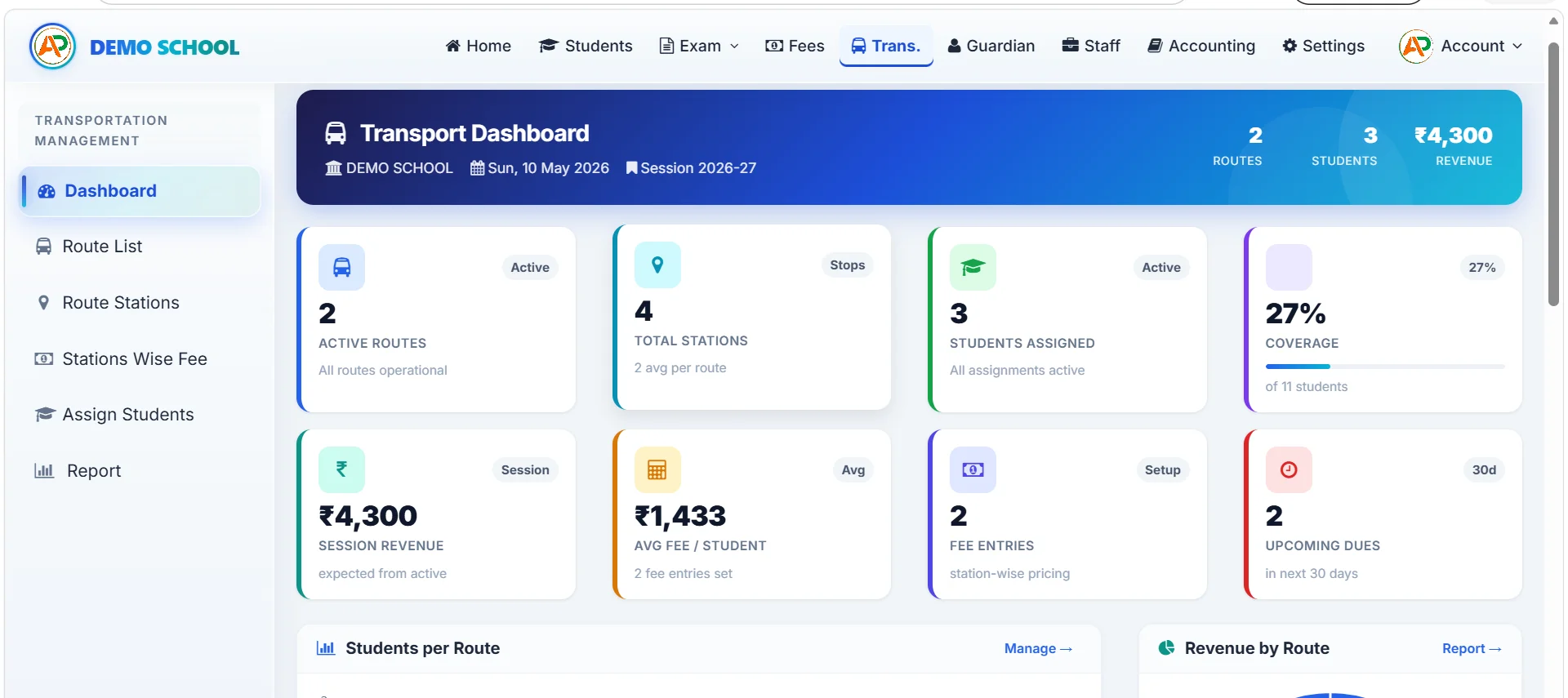
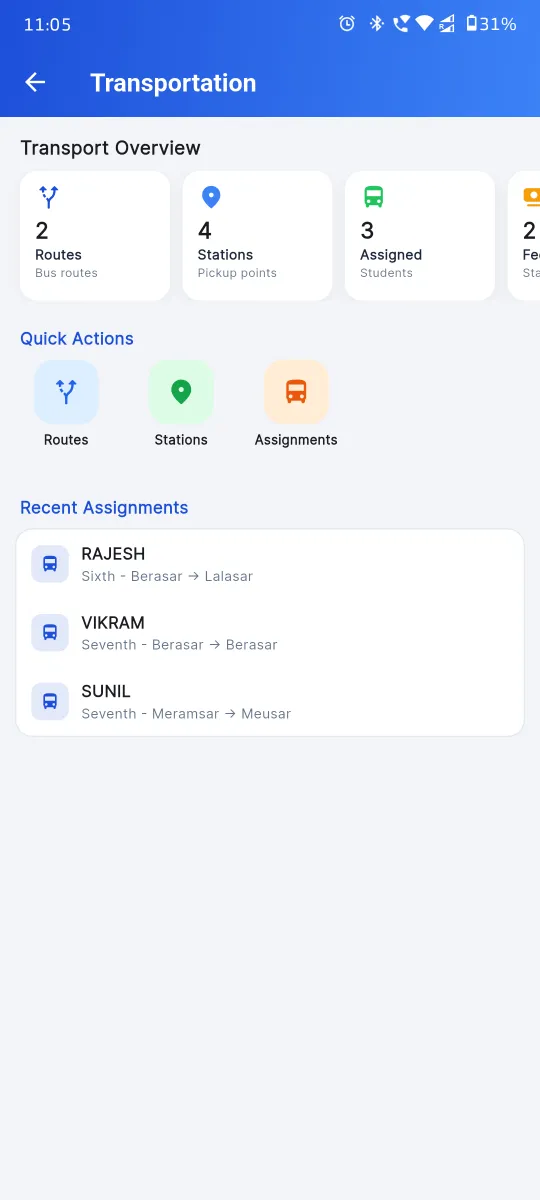
Define each bus route, the stations on it, and the per-station fee. Assign students to a route & station from their profile. The transport dashboard rolls up route-wise revenue and per-station student count automatically, so route profitability becomes a glance — not a spreadsheet.
- ✓ Routes, stations and per-station fee per session
- ✓ Student transport assignment from student profile
- ✓ Route-wise revenue and student count dashboard
- ✓ Per-station late fee and due date
- ✓ Transport fees post to accounting automatically
Staff Records, Daily Attendance, Monthly Payslip — Linked to Accounting
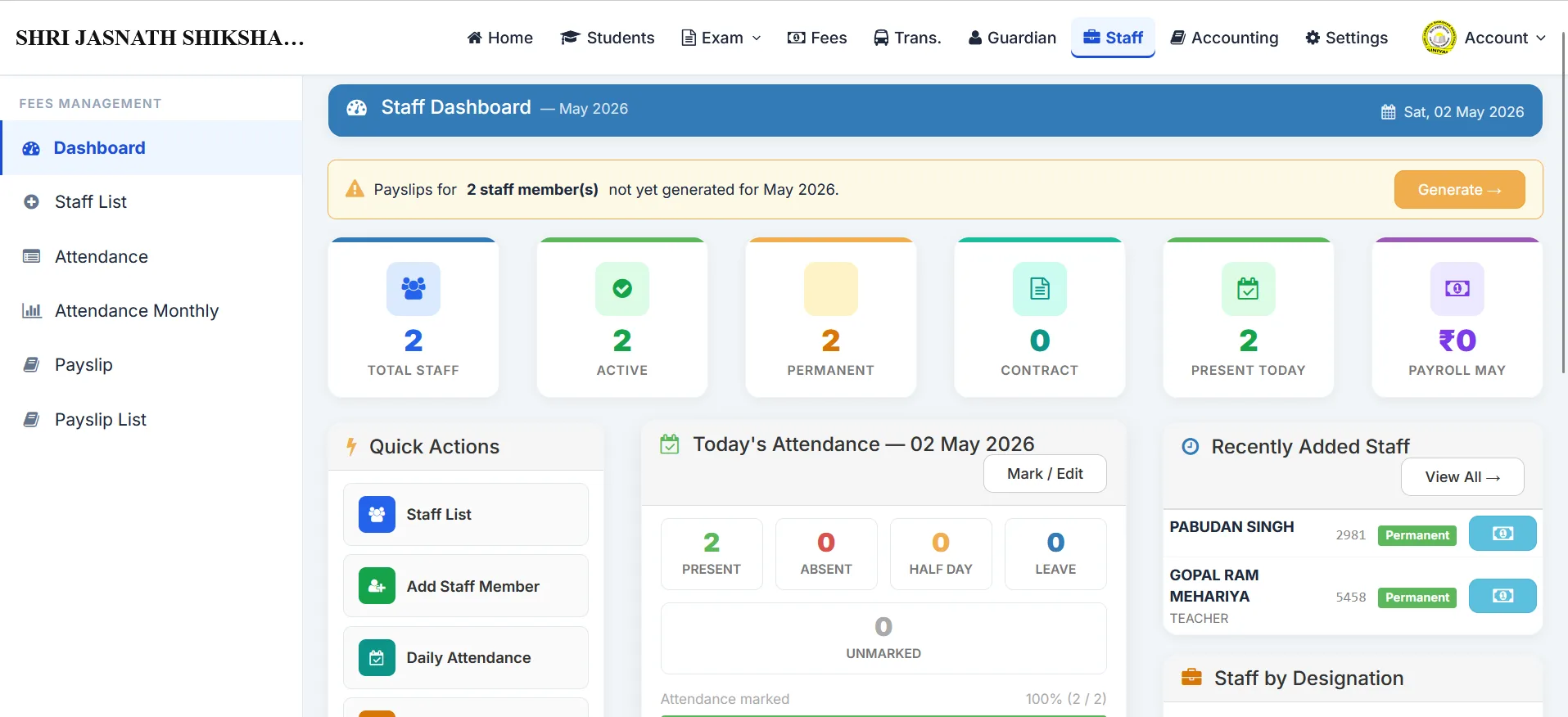
Every employee record carries designation, qualification, joining date, basic, HRA and other allowances. Mark daily attendance with Present, Absent, Half-Day or Leave. At month-end, the payslip page calculates gross, deductions (PF and other) and net automatically. Each payslip writes a corresponding voucher into the cash book — no separate “salary posting” step.
- ✓ Designation, qualification & salary structure
- ✓ Daily attendance with Half-Day & Leave
- ✓ Auto monthly payslip with HRA, PF, deductions
- ✓ Payslip posts a voucher to cash book automatically
- ✓ Per-staff yearly payslip history
- ✓ Bulk staff attendance entry

Cash Book, Vendor Accounts & Vouchers — With Auto Postings
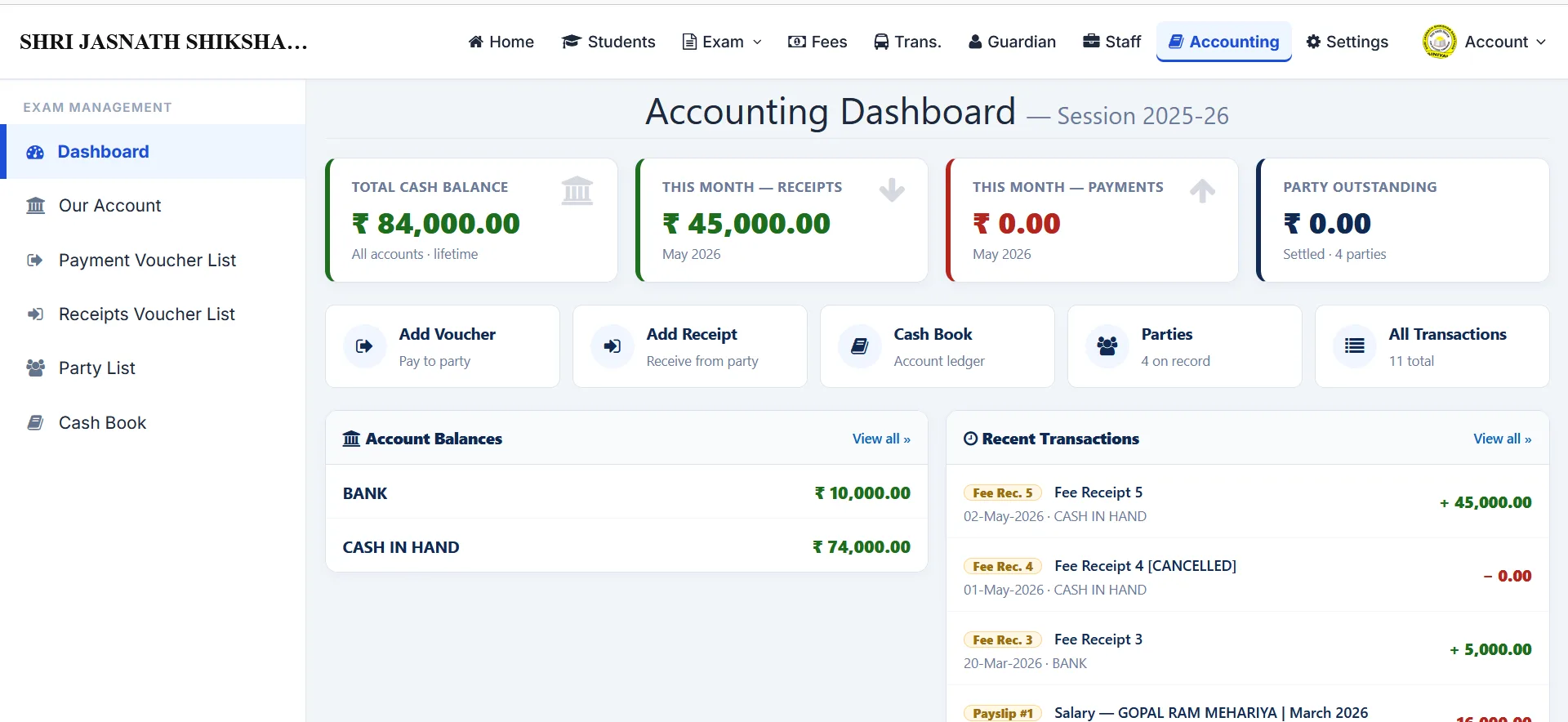
Two-side bookkeeping with own accounts (Cash in Hand and Bank) and party / vendor accounts. Record voucher entries by hand for anything ad-hoc; fee receipts and payslips post automatically — so you don't journal the same transaction twice. View per-account and per-party transaction statements, and review the consolidated cash book at any cut-off date.
- ✓ Cash, Bank & party (vendor) accounts
- ✓ Voucher entries (Receipt, Payment, Journal, Contra)
- ✓ Auto-post from fee receipts & staff payslips
- ✓ Per-account & per-party transaction statement
- ✓ Consolidated cash book at any cut-off date
- ✓ Reversal voucher on receipt cancel

The School Gate Marks Attendance Before the First Bell
Every student carries an ID card with a QR code, printed straight from the Students module. A tablet at the school gate runs the kiosk login — the security guard, peon or attendance-only staff member scans cards as students walk in. The class teacher's register is already filled by the time the first period starts.
- ✓ QR ID card auto-generated from student record
- ✓ Tablet kiosk login (any cheap Android tablet)
- ✓ Attendance-Only role — no other panel access
- ✓ Late-arrival flag, real-time class register update
- ✓ Works even when the class teacher is on leave
Take UPI Payments & Reconcile in Two Minutes
Accept UPI alongside Cash, Cheque and DD on the fee receipt page. The Online payment mode captures the UTR / transaction reference and posts the receipt directly into the Bank ledger of your cash book. At day-end, a 2-minute glance at the Bank column matches every receipt against the bank statement.
- ✓ UPI alongside Cash, Cheque, DD
- ✓ Per-receipt UTR / transaction reference
- ✓ Auto-post into Bank ledger
- ✓ Day-end reconciliation in two minutes
- ✓ Parent UPI payment from the parent app

One Parent, Multiple Children — One Statement, One Alert
Indian schools see plenty of guardians with two or three children studying together. The Guardian module keeps parents as a first-class entity, linked to all their children, so a single absence alert and a single combined fee statement replaces three separate messages. Useful for PTM invites, holiday notices and report-card emails too.
- ✓ Separate guardian directory
- ✓ Sibling mapping — one guardian, many students
- ✓ Combined fee statement
- ✓ Combined absence alert
- ✓ One PTM invite per parent, not per child
The Fee Clerk Doesn't See Attendance. The Class Teacher Doesn't See Payslips.
The school owner has full access. For every other employee, the admin grants single-flag access to Exam / Class Test / Unit Test, three flags (add / edit / view) to Students, Fees, Transportation, Guardian, Staff, Accounting and Settings, and an optional Attendance-Only role for the gate kiosk. Every page checks permission before it reads or writes a single byte of data.
- ✓ Per-employee permission matrix
- ✓ Single-flag for exam-tier modules
- ✓ Add / edit / view for record modules
- ✓ Attendance-Only role for kiosk users
- ✓ Server-side gate before every read/write
Quiet Features That Save the Day
Small things that compound over a school year.
Book a 30-Minute Walkthrough on Your Own School Workflow
Tell us how your office handles fees, exams and attendance today. We'll show the same flow inside Apna School in 30 minutes — live, with a real receipt printing on a real thermal printer.