The Three-Tier Exam System
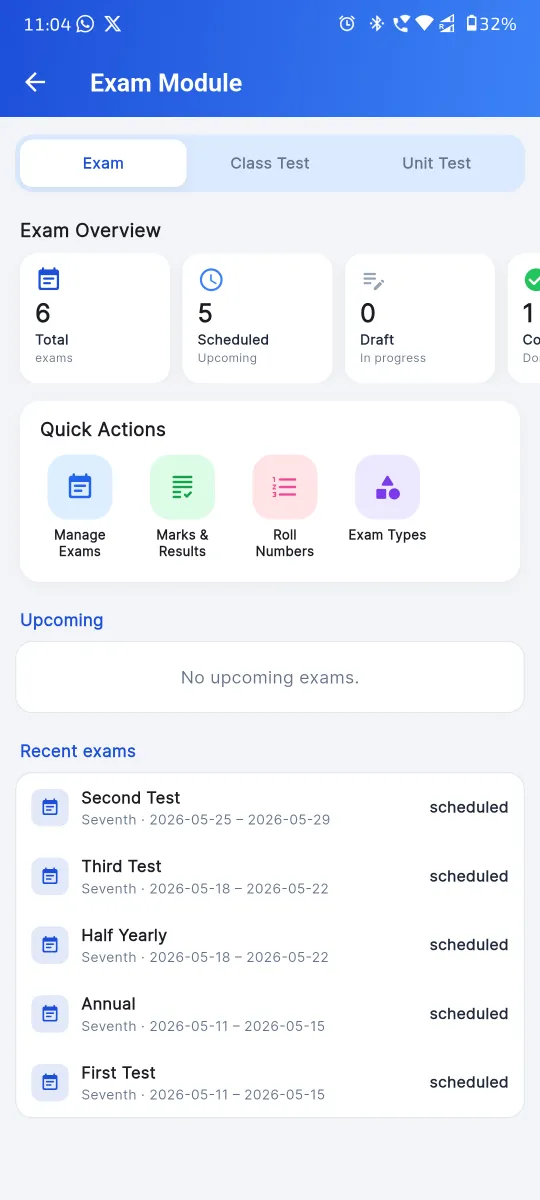
Indian schools don’t do one big “exam.” Three structures run in parallel — Apna School ships three independent modules, sharing the student database.
Exam (Half-Yearly / Annual)
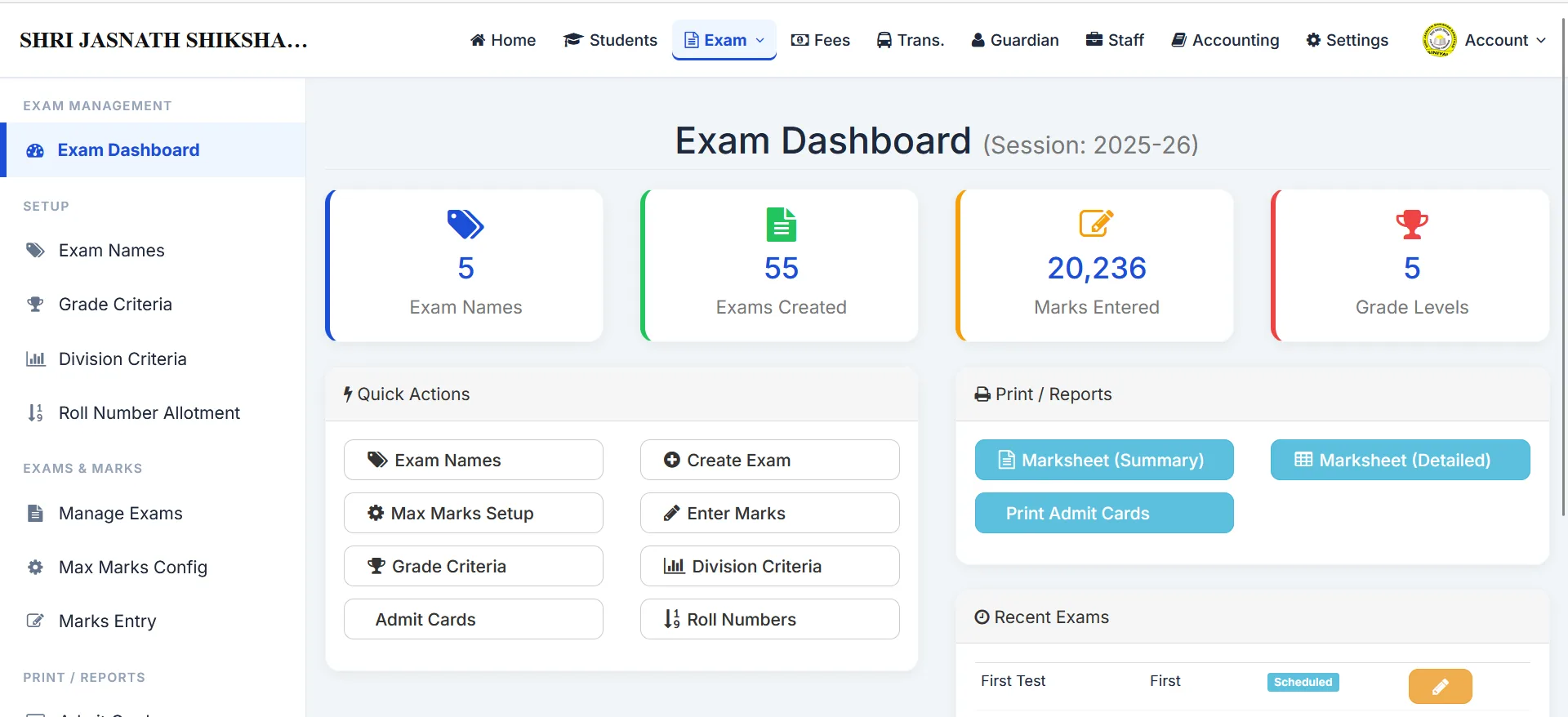
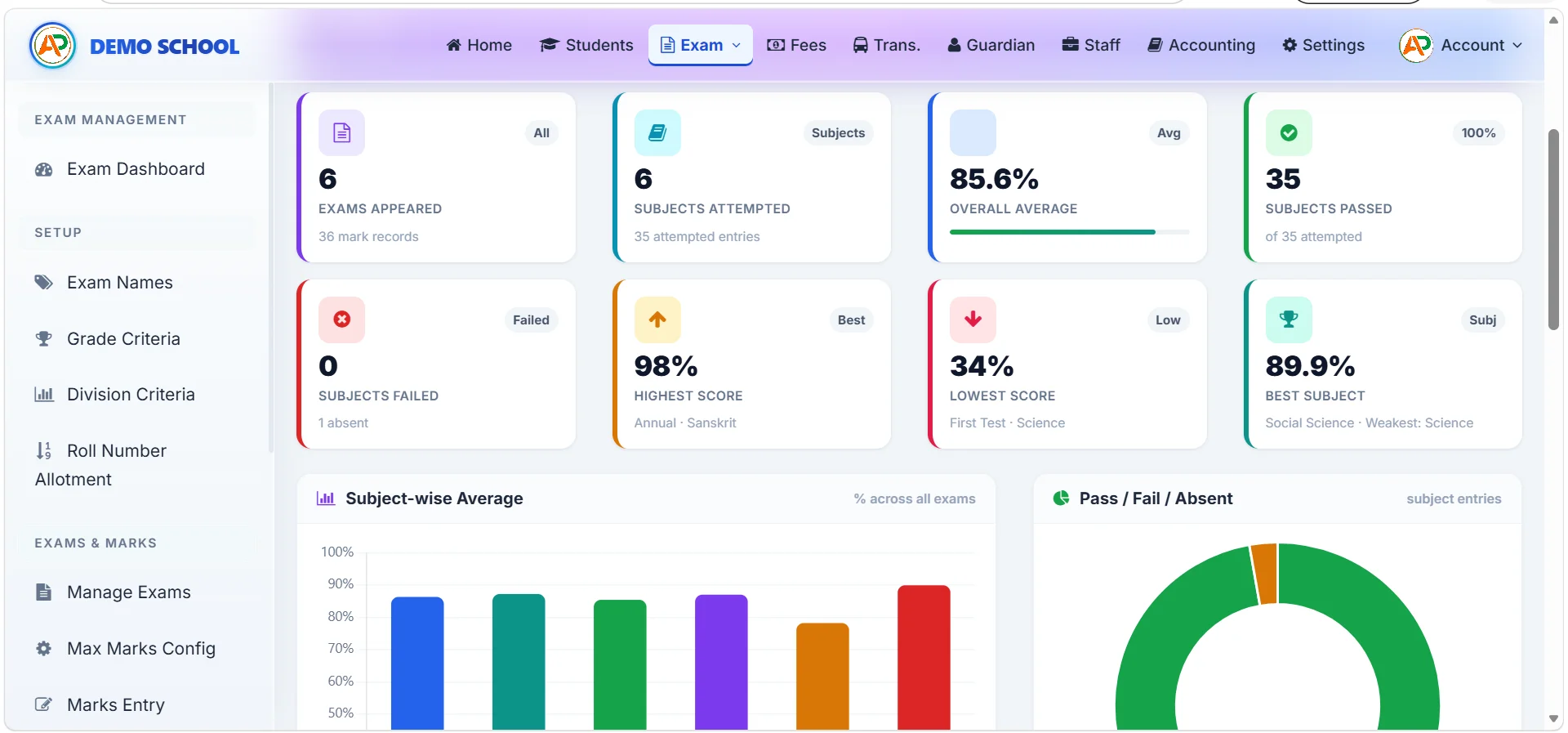
Formal exams with subject-wise marks, grade and division calculation, and printable marksheets.
Class Test
Monthly tests run per class, separate from the formal exam machinery, with their own marks and reports.
Unit Test
Subject- and lesson-level micro-tests with max marks, passing marks and absent flag per student.
Auto Grade Calculation
Configure the grade table once (A/B/C/D/E with min-max %); every result is graded on save.
Division Criteria
First / Second / Pass / Fail thresholds — pass-fail and division derived automatically from the marks.
Two Marksheet Formats
Pick whichever your board / parent expectations match. Both pull from the same data and print to PDF.
Admit Card Generation
One click per class — admit cards generated from the same exam configuration. Roll number per exam supported.
Practical + Written Split
Subjects can carry a practical component; max marks split between written and practical per subject.
Marks entry — under 5 minutes per subject
Pick exam tier → exam → subject. The screen shows the class’s student list pre-sorted by roll number. Type marks; the system flags absent students, validates against max marks, and computes grade + percentage + division at save — not in a separate batch run.
See the Full Workflow
Configure Once at the Start of the Session
Subjects + Mapping
Define every subject; map to classes (Compulsory / Optional / Practical).
Exam Names + Max Marks
Per exam tier — define exam names and per-subject max marks (with optional practical split).
Grade + Division Criteria
Set the grade table and pass-fail thresholds. Applied automatically to every result.
Roll Number Mapping
Map a roll number per student per exam — honoured on the marksheet and admit card.
Result Management FAQ
Yes — auto-grade computation happens the moment marks are saved. The school configures its grade table once (e.g. CBSE-style A1 91–100, A2 81–90, B1 71–80, B2 61–70, C1 51–60, C2 41–50, D 33–40, E below 33), and every subject result is graded against it on save. No separate “run grade computation” batch step, no formula errors, no Excel rounding bugs. Each grade carries a configurable description (Excellent / Very Good / Good / Average / Working towards) which prints on the marksheet alongside the grade letter — perfect for NEP 2020 / HPC competency-style reporting. Read more in our how to generate report cards automatically guide.
Two stock printable marksheet formats are shipped today, both pulling from the same exam data. Format 1 is the compact grade-table marksheet preferred by schools that want a clean A4 print with subject, max marks, marks obtained, grade, and overall result. Format 2 is the detailed CBSE / NEP-style marksheet with three-tier breakup (Exam + Class Test + Unit Test), practical-vs-written split, grade with descriptor, and division. The school admin picks which to print; both can be printed on plain paper or pre-printed school stationery. A fully board-locked PARAKH HPC printable template is on our active product roadmap and rolling out shortly — details in our HPC software guide.
Yes — practical + written split is built into the class-subject mapping. For science, computer, art, music, physical education and any other subject with a practical component, mark the subject as practical-enabled on the mapping and split the max marks (e.g. Science: 70 written + 30 practical = 100 total). Marks entry then captures both components separately; the marksheet shows the breakup; the grade is computed on the combined total. This pattern is essential for ICSE schools (where practical-vs-written reporting is standard), for CBSE schools running computer / science / vocational subjects with practicals, and for state board schools with subject-wise practical exams. Same product, configurable per class-subject pair.
Yes — admit cards / hall tickets are generated from the same exam configuration with a single click per class. The admit card includes the school name, UDISE / affiliation number, exam name, student photo, name, class, section, admission number, roll number, exam date-and-time-wise schedule per subject, and the school stamp / signature block. Print all admit cards for a class in one PDF; distribute or hand over to parents at PTM. The same backbone supports admit cards for the formal Half-Yearly / Annual exams as well as for class tests and unit tests where the school wants a printed schedule. No separate exam-management software needed.
The three-tier exam system models how Indian schools actually run assessments under NEP 2020: (1) Exam — formal Half-Yearly / Annual / Quarterly exams with full subject-wise written and practical marks; (2) Class Test — monthly tests scoped to one or two chapters per subject; (3) Unit Test — lesson-level micro-assessments after each unit / chapter. Each tier has its own list of exams, max marks, grade table, division criteria, marks-entry workflow, and printable marksheet. The data feeds a unified term-end report card. This three-tier model is what makes continuous comprehensive assessment (NEP 2020’s headline ask) administratively manageable. Details in NEP 2020 school management software.
Yes — per-class grade tables and division criteria are supported. Primary classes (Nursery to Class 5) often use a softer grade table with descriptors (Excellent / Good / Working towards / Needs improvement) and no pass-fail; middle classes (6 to 8) use the standard CBSE A1–E grade table with division (First / Second / Third / Pass / Fail); senior classes (9 to 12) often add a stricter pass mark of 33% per subject. Apna School lets each class configure its own grade table and its own division criteria; the same exam configuration can therefore output age-appropriate marksheets for each class. This flexibility matters for HPC at primary stages and for board-conformant marksheets at higher classes.
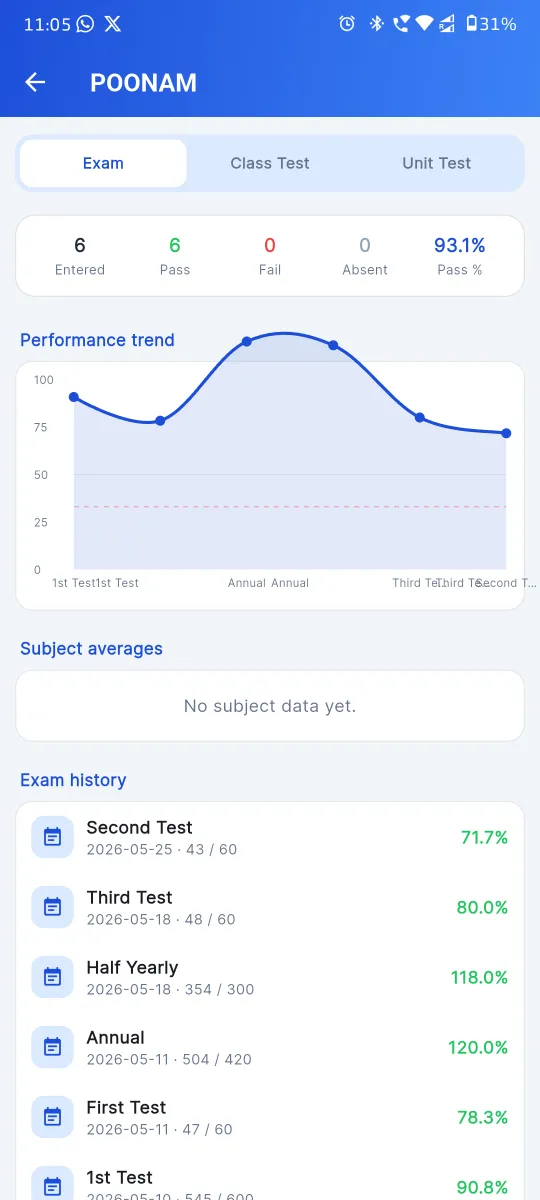
Yes — result publishing happens through three channels: (1) the Android parent app (parents see marks + grades + division as soon as the school publishes the result for that exam), (2) WhatsApp result delivery (the school can broadcast a result-ready notice with a link to the marksheet, or push the marksheet PDF directly), and (3) printed marksheets (PDF generated from the dashboard, printed and distributed at PTM or fee-counter). The school controls publishing per exam — results are not auto-released; they go live only when the principal / exam controller clicks Publish. Until then, marks entry continues in the back-end without parent visibility, which is exactly the workflow Indian schools want.
Yes — the system is fully board-agnostic. CBSE schools get the A1/A2/B1/B2 grade table, the three-tier continuous assessment model, and the HPC data backbone. ICSE schools get the practical + written split per subject, ISC-style total computation at higher stages. RBSE / UP / MP / Bihar / state board schools get bilingual (Hindi-friendly) marksheet output, RTE-aware student records, and pass-fail at lower classes. The same product runs all three patterns — the difference is in configuration, not in code. For board-specific guidance see our CBSE school management software guide.
Stop Hand-Writing Report Cards
Marks entry, grade calculation and marksheet print in a 30-minute walkthrough.